 ObsiKO
Getting Started
Your exciting first steps with ObsiKO! Open your knowledge storage (vault), create your glorious first document, and try out rock-solid autosave and restore.
ObsiKO treats one whole folder of yours as a cozy workspace (we're going to call this a vault!). The .md files inside it are your precious notes.
They aren't converted into some complicated format — they're plain text files, so you can carry them off to any other app whenever you like! No conversion needed — just change the extension to .txt and it becomes a plain text file.
← Back to home: ObsiKO 101
What you see on first launch 👋
The very first time you open ObsiKO, a welcome card says hello. Press Get started and it disappears, leaving the welcome screen where you can open a folder or create a new note.
- On a phone the welcome screen shows immediately. On a narrow screen the right panel covers everything, so help doesn't open on its own.
- Instead, the first time you open the right sidebar you get this 'ObsiKO 101' help. You can reopen it whenever you like.
- On a wide screen like a desktop, help does open alongside on first launch.
- Want the welcome card again? Use
Show againunder Settings ▸ Getting Started ▸ Main screen guide.
What's a vault (folder)? 🤔
- A vault = a single folder that safely gathers your notes together. And of course you can make subfolders inside it to keep things neat!
- ObsiKO focuses on one vault at a time. That said, click the folder name in the bottom left and your recently used folders (up to 10) fan out above it, so you can quickly switch back to them.
- Every file in your vault is stored on your computer exactly as-is (in internal/external storage, or you can point it at a cloud folder). ObsiKO never secretly locks it up or converts it into some mysterious format — rest easy!
Opening your folder 📂
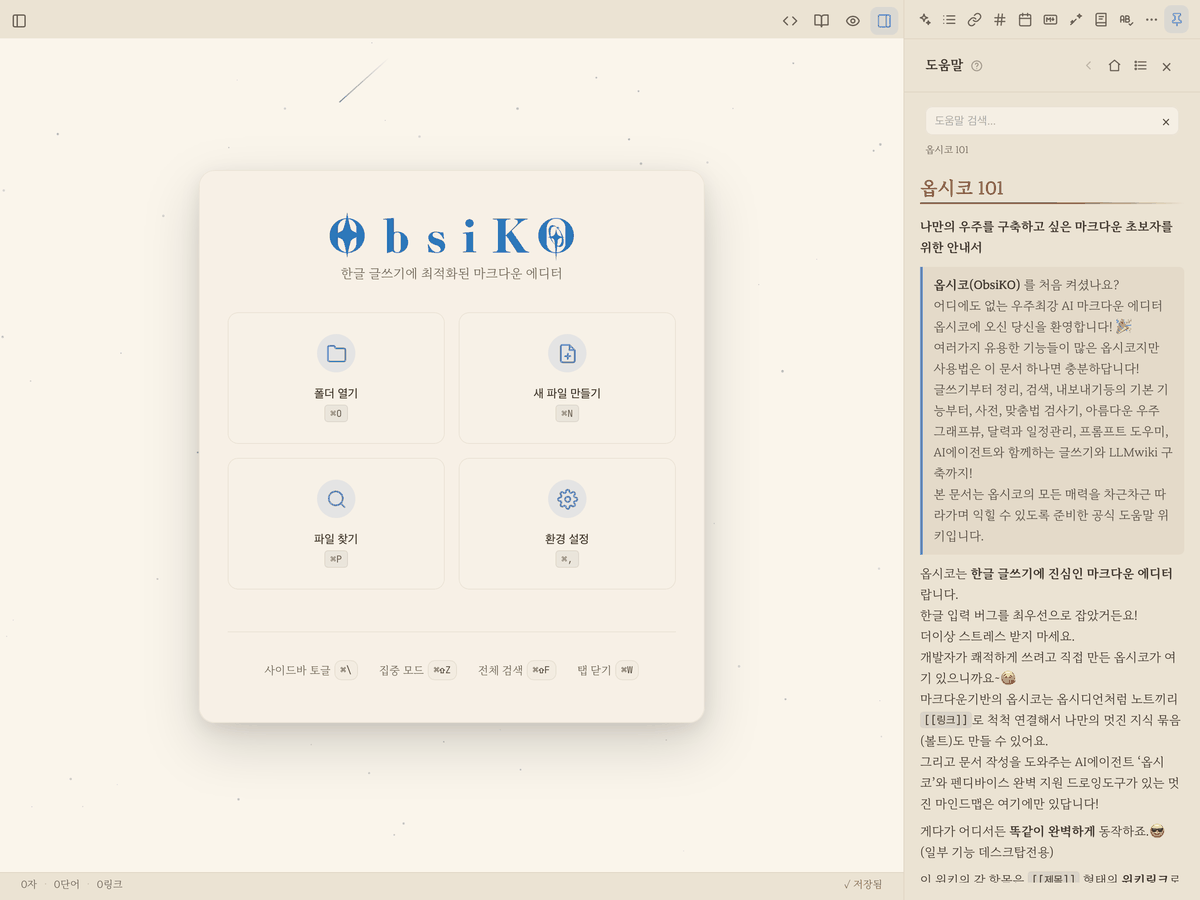
▲ The welcome screen you see on first launch. Pick your vault with 'Open Folder.'
- Press the Open Folder (⌘O / Ctrl+O) button on the screen and choose a vault where your notes will live. Feel free to make a new folder too!
- If you're on iPhone or iPad, just use a folder from the Files app as your vault! Open an iCloud or Google Drive folder and you can keep working whether you're at home or out and about! To view the Graph View properly, make sure to download the folder you'll be working with ahead of time and turn on "Keep Downloaded" — don't forget! → See 25 Platform Guide for details.
- Of course, you can create files even without choosing a folder. They're automatically saved to your device's default storage! (On iPhone/iPad, that's the
ObsiKOfolder in the Files app; on desktop, it'sObsiKOinside your Documents folder; on Android, it's the app's private storage space.) - The default storage is always pinned right at the top of the folder name ▸ recently opened folders menu in the bottom left, so you can always get back to it in a single click.
Creating your grand first document 📝
- Press the New Document button (⌘N), or right-click (long-press) in the file tree — ta-da! A clean Markdown (
.md) file appears. - The new note lands in the folder of the file you're currently viewing, or the folder selected in the file tree. (If you haven't picked any folder yet, it'll appear at the very root of the vault.)
- The moment the file is created, it's ready for you to type a title! Type a cool title and hit Enter, and — snap! — you're right into the body ready to write.
- New folders and new mind maps (canvases) are just as easy to create. → Curious about mind maps? 11 Mind Map
Autosave that just handles it 💾
- Pause your typing for a moment and ObsiKO notices and saves everything automatically! (Time to forget the habit of hitting a save button!)
- Even if you completely rename the file in the title bar, it's changed safely and cleanly. No more worries.
Restoring exactly where you left off 🕰️
- Quit ObsiKO and reopen it, and the last folder, file, and even tabs you had open appear again, as if time had rewound itself.
- Don't worry if your folder's contents changed outside of ObsiKO either — the file tree refreshes itself automatically! (Real-time auto-sync via a cloud folder may slow down if the cloud sync itself is slow.)
Starting with an Obsidian vault 🟣
Just open your Obsidian vault folder as it is. There's no conversion and no import wizard.
- Browsing changes nothing. Opening and flipping through files never edits or creates a file (ObsiKO doesn't even create its "vault change log" file in an Obsidian vault). Only notes you edit are saved.
- The
.obsidianfolder (Obsidian's settings) is never touched. ObsiKO only reads it, and follows just one setting — the attachment folder: pasted images go to the attachment folder you set in Obsidian. - Notes made on Windows (CRLF line endings) are saved with their original line endings after you edit them.
- The first time you open the vault, a note card appears above the file list once. Press "Got it" and it won't show again for that vault.
| What | |
|---|---|
| ✅ Works as-is | [[wikilinks]] (aliases, heading and block links), whole-line embeds ![[note]] and images, block IDs ^id, callouts, tags, frontmatter properties, one-line %%comments%%, Tasks to-dos and ```tasks lists, .canvas, .base, Dataview inline fields key:: value (read) |
| 🟡 Partly | ![[embeds]] in the middle of a line (shown as a link), multi-line %%comments%% (shown as text), Obsidian-only canvas properties (untouched if you only look, but may not survive if you edit the canvas in ObsiKO) |
| ⚪ Not run | ```dataview / ```dataviewjs queries (kept as-is with an "Obsidian plugin code" label — simple TABLE/LIST queries get a "Try as a table" chip that builds an ObsiKO table (.base) next to the note), Templater <% %>, Excalidraw drawings (open as their text), other community-plugin syntax |
ObsiKO doesn't follow Obsidian's new-file location, link format, daily note or template settings — use ObsiKO's own settings for those. ObsiKO deliberately doesn't run plugins that execute other people's code (for safety and stability).
Frequently asked questions 🙋♀️🙋♂️
- I can't find where my files went! → The left sidebar (file tree) might be shyly hiding. On iPad or iPhone, swipe toward the right (you can toggle this in Settings > Accessibility), or just tap the sidebar toggle button in the top left, anytime, anywhere! → For a detailed walkthrough of the screen, see 02 A Tour of the Screen
- Can I bring over a vault I was using in Obsidian? → Absolutely! Welcome! Just open the folder as is.
.mdfiles,[[wiki links]],#tags,.canvas,.baseand Tasks to-dos all work as they are.😎 One caveat: plugin-only syntax (Dataview query blocks, Templater's<% %>and the like) doesn't run in ObsiKO and shows up as plain text — the original is never changed, so going back to Obsidian is safe.
← Previous: What's New · Home · Next: A Tour of the Screen →