

한글(HWPX) 문서까지 바로 뽑아요
쓴 노트가 버튼 하나로 한글(HWPX)·워드·PDF·전자책·발표 슬라이드가 됩니다. 다시 옮겨 적을 일이 없어요.
HWPXDOCX · PDFEPUB · Marp · 위키
 적으면 알아서 이어지는
There’s nothing to set up
because everything is already connected.
Ready instantly · No account · Your files in your folder
GRAPH VIEW
Every note becomes a star and every [[wikilink]] draws a constellation — the more links a note has, the brighter and bigger it glows.
Notes with more connections shine bigger and brighter — your knowledge hubs stand out at a glance.
✦ Try grabbing and dragging a star
Experience a universe that grows as your vault grows. Every single note becomes a star. Use the History view to watch the wondrous process of your stars being born and connecting one by one.
WHY OBSIKO
You install an app, pick extensions, tweak settings — and the day is gone without writing a line. ObsiKO has everything from the start, already connected. There is nothing to set up.
Only the cursor line shows raw Markdown — everything else stays rendered. The IME is protected at the core, so CJK input never glitches, even on an iPad hardware keyboard.
Search your notes, draft, edit files and generate mind maps in one conversation. Citation numbers are issued by ObsiKO, not the AI, so invented footnotes are dropped before they render.
※ Source citations help you verify an answer; they do not guarantee it is correct. What you send to AI goes to the provider you chose. Hiding notes is fully enforced on the Claude engine; Gemini and Codex can bypass it through their own CLI file tools, and the app warns you when that applies. AI on phone and web leaves out bulk operations and a few advanced features; those run on desktop.
An infinite canvas compatible with Obsidian Canvas. Drop files to make cards, draw with Apple Pencil, edit images in place. Flip on Map Drawing and sketch dungeons, towns and transit lines on a tile grid — pin a note to a stamp and the map becomes a table of contents.
A dashboard with 50+ customizable widgets — today’s tasks, weekly schedule, subscribed calendars. Dates written in notes appear on the calendar instantly.
Read the same Markdown as a book view, messenger view or visual-novel view. Add backgrounds, characters and music, and a note becomes a piece.
FEATURES
Lightweight, yet complete — writing, knowledge, visuals, and AI.
쓴 노트가 버튼 하나로 한글(HWPX)·워드·PDF·전자책·발표 슬라이드가 됩니다. 다시 옮겨 적을 일이 없어요.
회의·강의 녹음이 기기 안에서 무료로 글이 되고, 사진 속 글자는 편집할 수 있는 텍스트로 들어옵니다.
초성만 쳐도(ㅎㄱ→한글), 제목 대신 대충 뜻으로 물어도 그 노트가 나옵니다.
웹소설·보고서·논문·자소서까지 89종 구조로 뼈대를 깔고, 첨삭·문체 다듬기·맞춤법으로 끝까지 다듬습니다.
웹은 클리퍼로 담고, PDF엔 형광펜을 긋고, 논문·책은 제목만 넣으면 서지가 채워집니다.
같은 노트가 표·칸반·차트·서재가 됩니다(.base). 카드 결제 문자를 붙여넣으면 가계부가 되고요.
노트로 만든 복습 카드가 잊기 직전에 돌아옵니다(FSRS). 집중 타이머는 덤이고요.
보여 주고 싶은 노트만 웹 주소로. 글은 내 GitHub 계정에만 저장되고 옵시코 서버에는 남지 않습니다.
볼트를 내 GitHub 비공개 저장소에 두고 기기끼리 맞춥니다. 양쪽에서 고쳐도 알아서 합쳐요.
전부 무료, 로컬 마크다운 저장, 옵시디언 볼트 100% 호환이라 언제든 오갈 수 있어요.
ONE CORE, EVERYWHERE
One framework-free core works identically on macOS, Windows, iOS, iPadOS, Android — and in the browser.
GET OBSIKO
Free · No account · Your files in your folder. Pick your platform.
TUTORIALS
Not feature tours — you build one real result. Following the screenshots is enough.
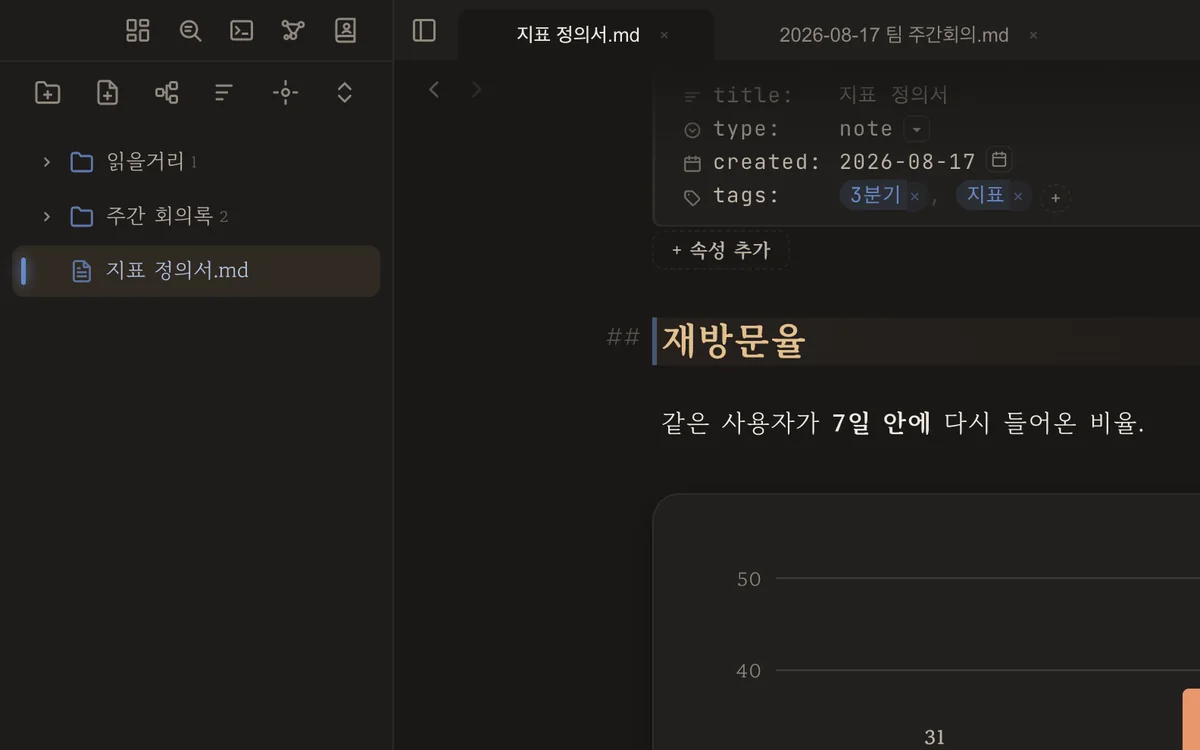 Move from another app
Bring notes over from Notion, Evernote or Obsidian, untouched.
15 min
Move from another app
Bring notes over from Notion, Evernote or Obsidian, untouched.
15 min
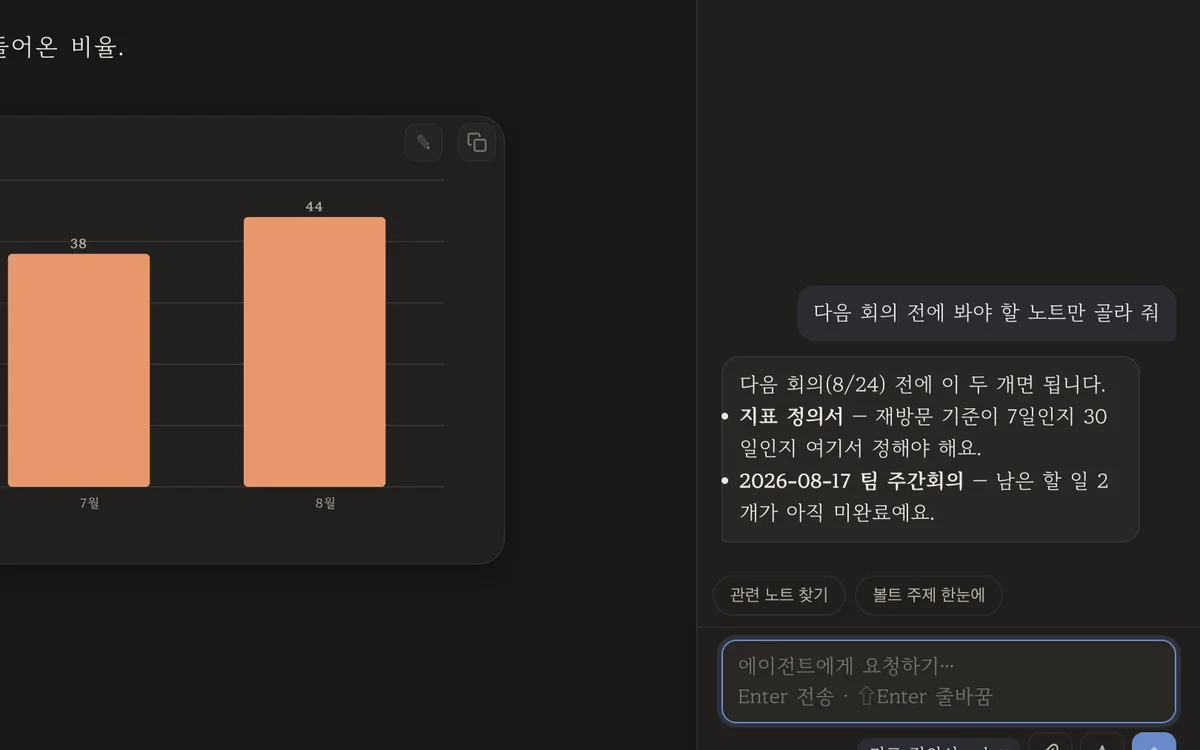 Connect an AI
One key and it works on your phone too — an AI that reads your notes.
10 min
Connect an AI
One key and it works on your phone too — an AI that reads your notes.
10 min
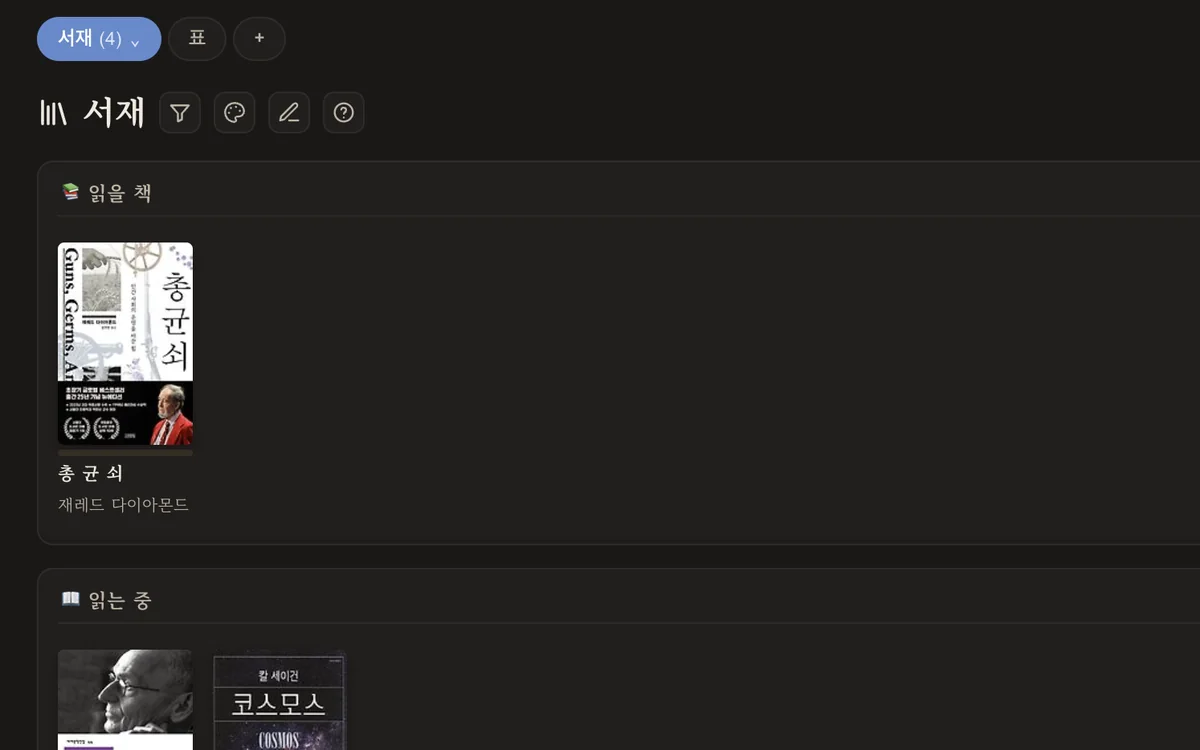 Reading log & shelf
Search a title and the cover, author and pages fill themselves in.
15 min
Reading log & shelf
Search a title and the cover, author and pages fill themselves in.
15 min
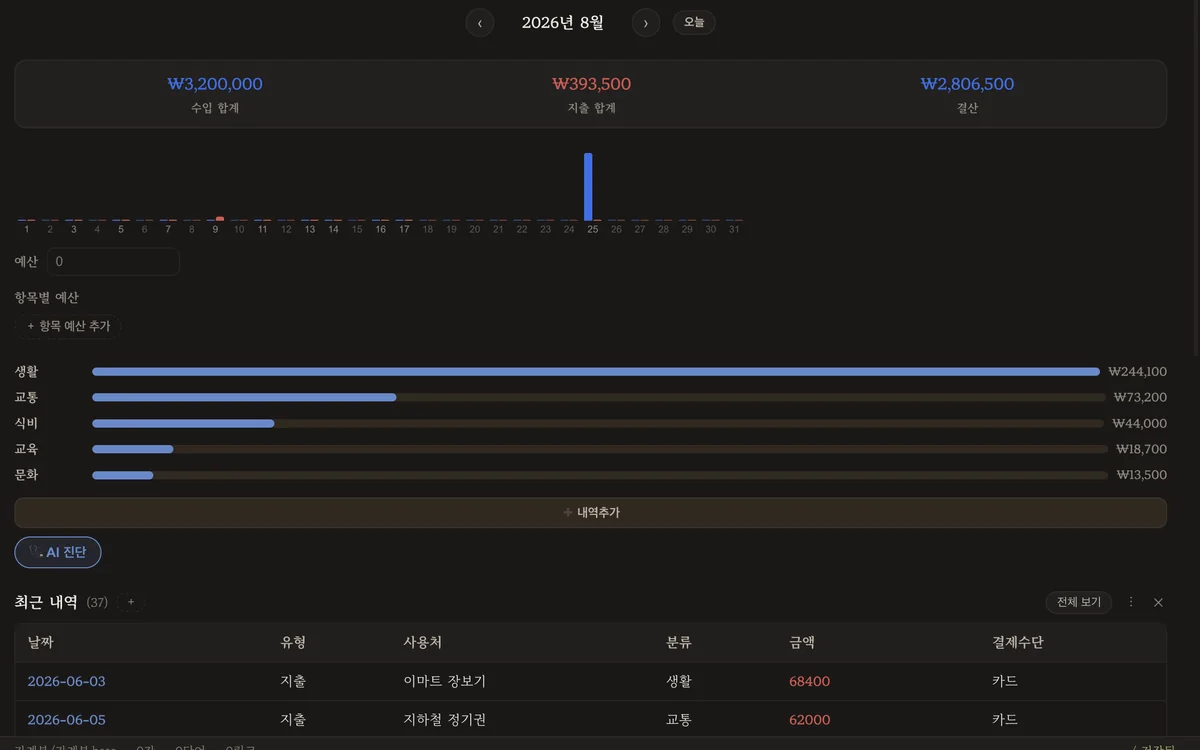 Build a budget book
Paste a card receipt text and the amount and merchant land in place.
20 min
Build a budget book
Paste a card receipt text and the amount and merchant land in place.
20 min
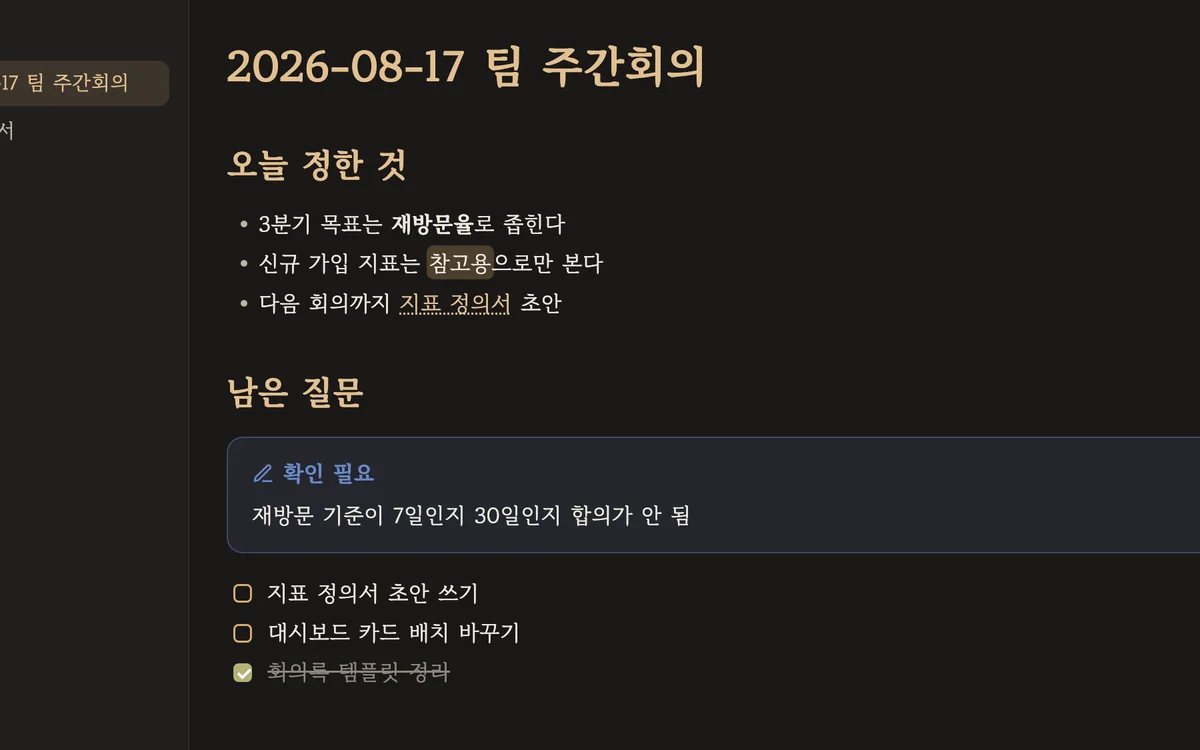 Share via GitHub
Turn a note into one web link that looks exactly like your app.
10 min
Share via GitHub
Turn a note into one web link that looks exactly like your app.
10 min
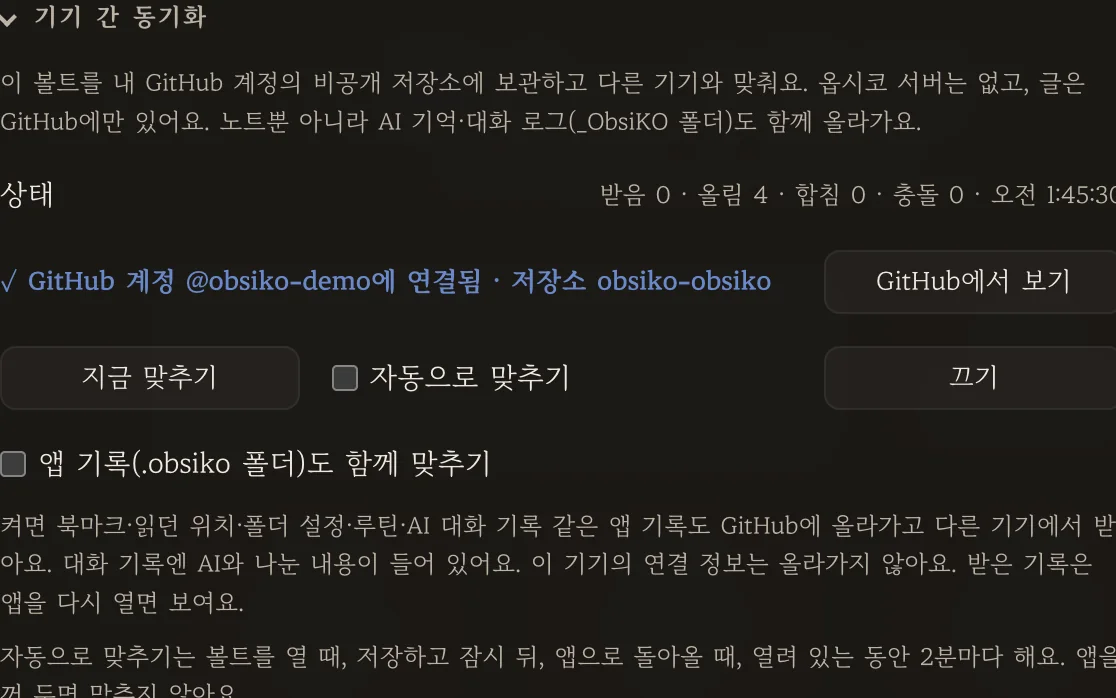 Sync across devices
Pick up your vault on your phone. No server in between.
10 min
Sync across devices
Pick up your vault on your phone. No server in between.
10 min
FAQ
CONTACT
We'll reply to the address you leave.
Bug reports include your device and browser info so the cause can be found faster.